Send one small signal
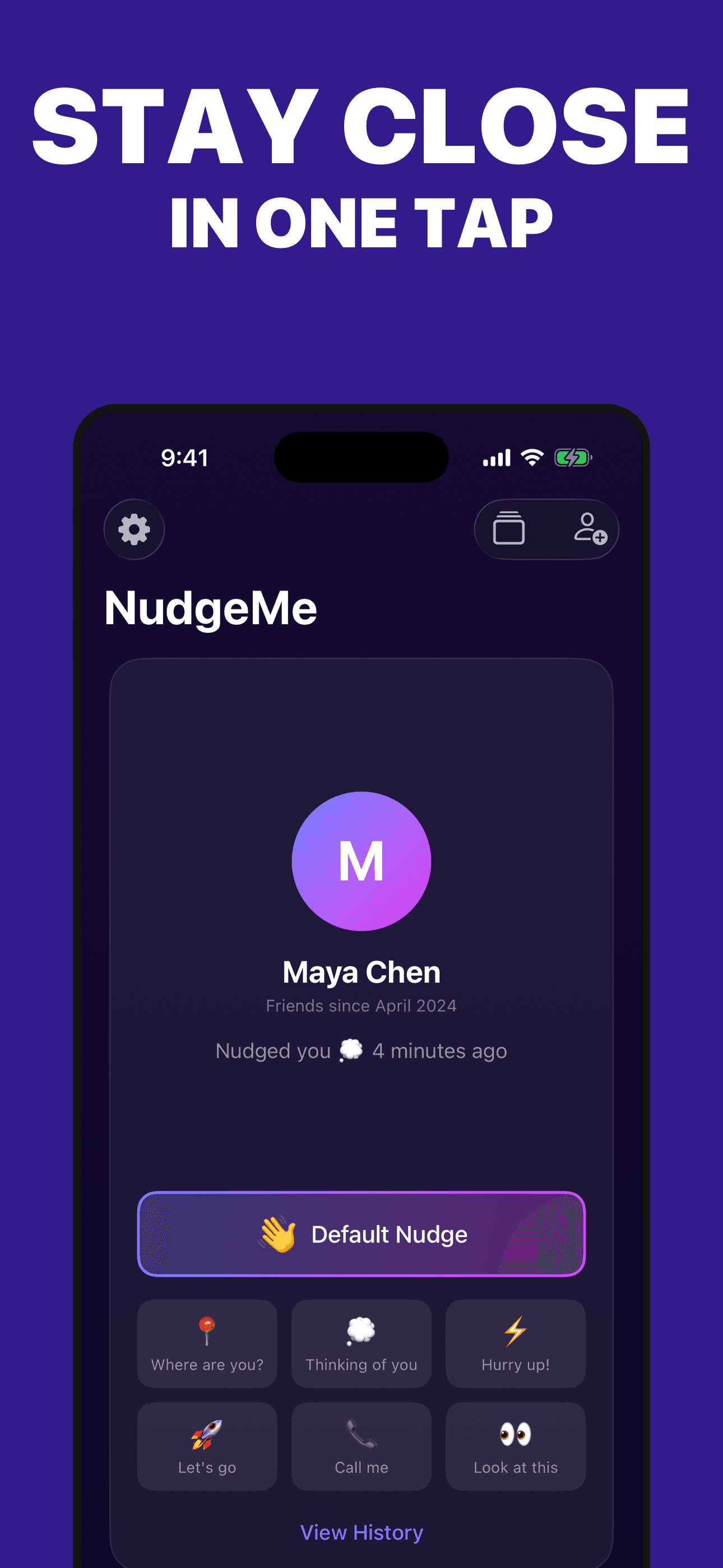
Choose a focused friend and send a wave, Thinking of you, Where are you?, Hurry up!, Let’s go, Call me, or Look at this.
A small signal between accepted friends
Choose a friend and send a wave or one of six preset signals—without composing a full message or posting to a public feed.
Built for the task
Send one small signal
The short answer
A direct definition for readers, search engines, and answer systems.
NudgeMe is a lightweight friend-signal app for iPhone and Apple Watch. Authenticated users connect by username or QR code, accept a friendship, exchange preset nudges, reply from notifications, and review recent activity.
NudgeMe is not an emergency service, safety monitor, or guaranteed-delivery channel. Notifications and paired-device actions can be delayed or unavailable; use a reliable communication method when timing or safety matters.
Inside the app
Every feature supports the same workflow, so the app feels like a system rather than a folder of disconnected AI buttons.
Choose a focused friend and send a wave, Thinking of you, Where are you?, Hurry up!, Let’s go, Call me, or Look at this.
Use Nudge Back when a push arrives, while treating notification delivery as best-effort rather than guaranteed.
Find someone by username or QR code, send a request, and exchange nudges only after the friendship is accepted.
Switch between list, grid, and focused friend views without changing the underlying connections.
Look back at recent sent and received signals for one friend without presenting NudgeMe as a permanent message archive.
Sign in with Apple, remove friends, manage notifications, and use in-app account deletion for the associated NudgeMe service data.
Product tour
Real screens from the current iPhone experience.


How it works
Use Sign in with Apple, then create the identity friends can use to find you.
Find a friend by username or QR code and wait until the request is accepted.
Tap a small signal, then use the recent activity view or notification reply when you want to nudge back.
Who it helps
Direct answers
A wave or one of six presets: Thinking of you, Where are you?, Hurry up!, Let’s go, Call me, and Look at this. NudgeMe does not provide a public feed, group broadcast, or free-form message composer.
Only an authenticated person with an accepted friendship should be able to exchange nudges with you. You can remove a connection from the app.
Nudges are intended for the sender and accepted recipient, but NudgeMe uses Firebase for accounts, storage, functions, and push delivery. The service is not described as end-to-end encrypted messaging.
Push delivery depends on connectivity, Focus modes, notification settings, battery policies, and Apple’s notification service. Do not use NudgeMe for emergencies, safety monitoring, or time-critical communication.
No. The current Watch experience depends on the paired iPhone being signed in and reachable. A Watch action may not send while the phone is unavailable.
Open NudgeMe Settings and choose Delete Account. The flow is designed to remove the authentication account and associated profile, relationships, requests, nudges, notification token, custom data, and profile image from the service.
Preparing for the App Store
The release package is being prepared and the public App Store page will appear after launch.
Coming soon